Getting Started Guide
SEO testing is how we deliver SEO. Every meaningful change should be tested before rolling out at scale.
The SEO Testing Hub is where you create tests, check the winner, and store learnings.
Workflow - Start here
IDEA → SETUP → RUN → CHECK RESULT → LOG
-
1
Idea
Define your test
Start with a hypothesis. Browse past results and inspiration in the SEO Test Bank.
-
2
Setup
Create your test
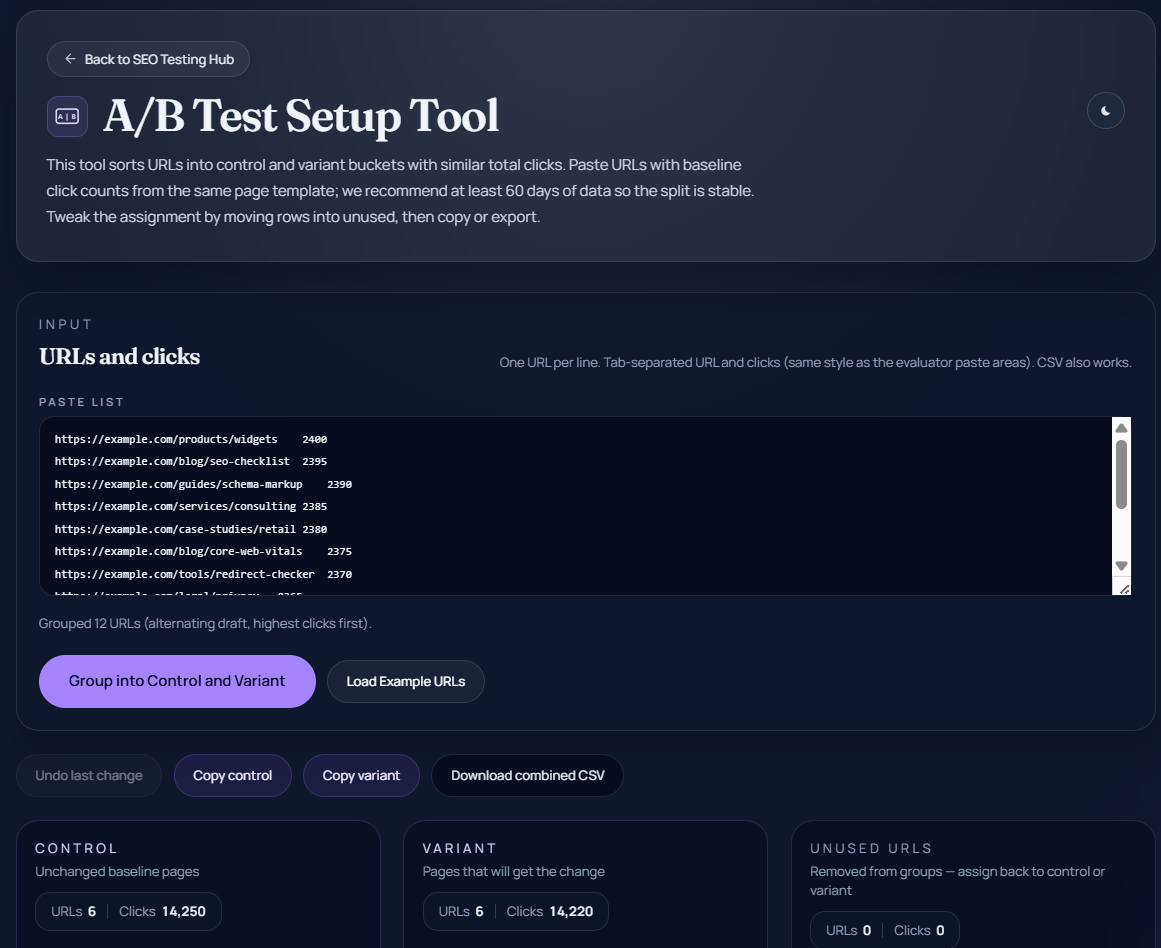
Split URLs into balanced variant and control groups with the A/B Test Setup Tool. Not needed for time-based tests.
-
3
Run
Apply and run the test
Apply the change to variant URLs only, request indexing, and run for 6 weeks, ideally. Do not change control pages during the test.
-
4
Check Result
Check the results
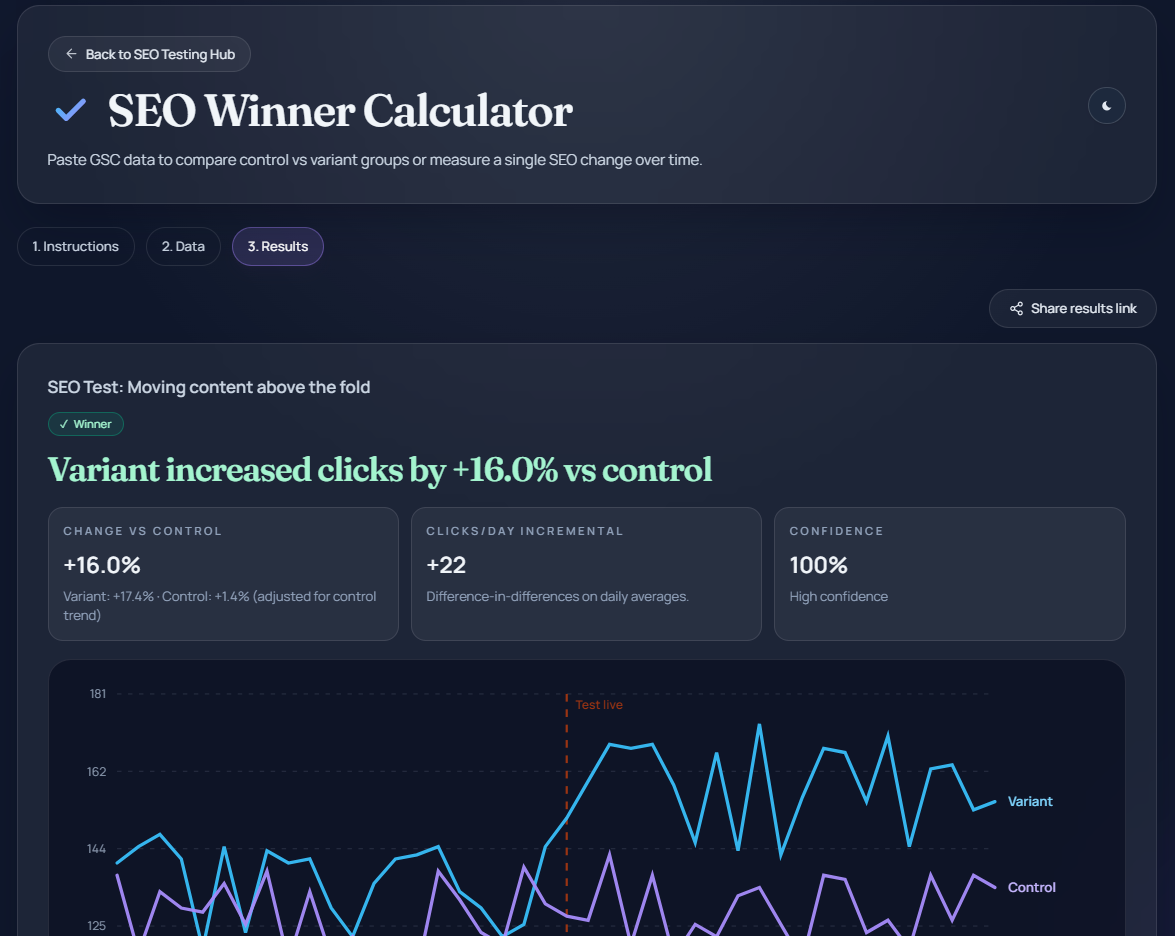
Paste GSC exports into the SEO Winner Calculator to call a winner and see a confidence score.
-
5
Log
Log the result
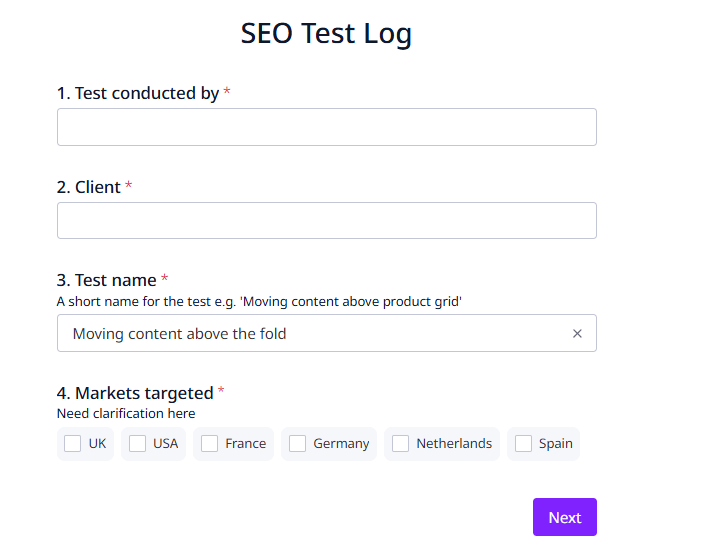
Complete the Test Log form at the bottom of the Results tab to record the outcome and share learnings with the team.
1. Define Your Test
Start with a single, clear change. This may come from your roadmap, ongoing optimisation work, or take inspiration from the SEO Test Bank.
Examples: title tag updates, internal linking, content improvements, schema.
Write a hypothesis: "I believe X will lead to Y because Z." Keep it focused - test one change at a time, and don't worry about your hypothesis being wrong - that's what testing is for!
2. Create Your Test with the A/B Test Setup Tool
Go to A/B Test Setup Tool → Create Test
Test type
- A/B URL Group Test (default): use when you can split pages into variant and control and have a sufficient sample
- Time-Based Test: use when changes affect all pages or sample size is too small for A/B. Two methods are available in the calculator:
- Simple (default) — interrupted time series; needs at least 14 baseline days
- Advanced — counterfactual forecast with day-of-week adjustment; needs at least 21 baseline days
Set up URLs
- Input URLs from the same page type/template
- Only include testable URLs
- Paste with click counts — at least 60 days of data recommended for a stable group split
The tool will:
- split into variant and control groups (A/B only)
- balance group size and clicks
Important: you are testing a sample, not the full template. The tool does not filter URLs — input must be correct.
3. Apply the Change
Apply updates to variant URLs only (A/B tests). Request indexing and wait until pages are indexed before starting the test.
4. Run the Test
Run for 6 weeks with 50+ clicks/day across the variant and control groups. These are guidelines for a reliable result — the calculator only hard-requires 14 days of data before and 14 days after the test start date.
- High traffic tests may reach significance earlier
- Lower traffic tests may need longer
During the test: do not change control pages or introduce other changes.
5. Check the results with the SEO Winner Calculator
Go to the SEO Winner Calculator — paste your exports on the Data tab, then open Results to see the analysis.
A/B test inputs
- Variant export: GSC daily export (CSV or TSV with a header row), filtered to variant URLs (and query if needed)
- Control export: same format for control URLs
- Enter the test start date
- At least 14 days before and 14 days after the test start date required
Time-based inputs
- Single GSC daily export (CSV or TSV with a header row), filtered to the changed URLs (and query if needed)
- Enter the intervention date (the day the change went live)
- Simple method: at least 14 baseline days before + 7 post-change days after
- Advanced method: at least 21 baseline days before + 7 post-change days after
Tool output
- Compares performance (variant vs control, or actual vs expected trend)
- A/B mode: calls a winner; time-based mode: calls a positive, negative, or no-clear impact verdict
- Calculates a confidence score — Low (<85%), Medium (85–95%), High (≥95%); a result requires 90%+ confidence to be called
- Produces a chart for reporting
Note: the calculator requires a test name before it will run the analysis.
6. Log the Result
Complete the test log form in the SEO Winner Calculator on the Results tab (this link scrolls to the form).
Capture: result, key takeaway, test type, page type.
Guardrails
- Test one change at a time
- Variant and control must be the same page type
- Only include testable URLs
- Do not change control pages
- Avoid overlapping tests
After a Successful Test
Roll out at scale, add to the SEO Test Bank, and share learnings.
Final Principle
Testing is how we deliver SEO. If you're making a change across multiple pages, it should be tested.